How It Works: Database to Entity Framework Code in Three Dialogs
By Simon Hughes, creator of the EntityFramework Reverse POCO Generator and a software developer with 35+ years of experience.
Add the template to your project, answer three dialogs (two are optional), and the generator writes your Entity Framework data layer. Here is every step, and the code you get at the end.
Detailed video
A more detailed screen recording with no audio showing the process and all the screens.
Three Dialogs. No Template Editing.
New in version 4: right-click the template and everything is a form.
1. Point it at your database
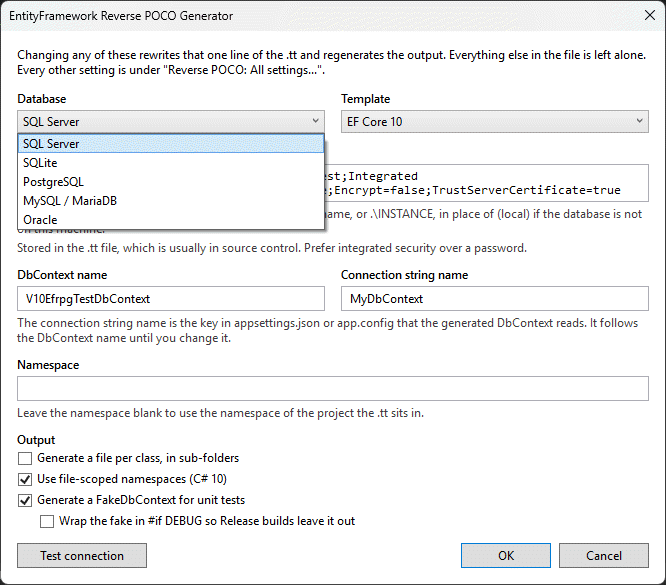
This dialog opens the moment you add the template. Pick the database type and EF version, paste a connection string, name your DbContext, press Test connection.
The connection string is handed to the schema reader over stdin, so it never appears in a process listing or a command-line audit log.
2. Tick what you want generated (Optional)
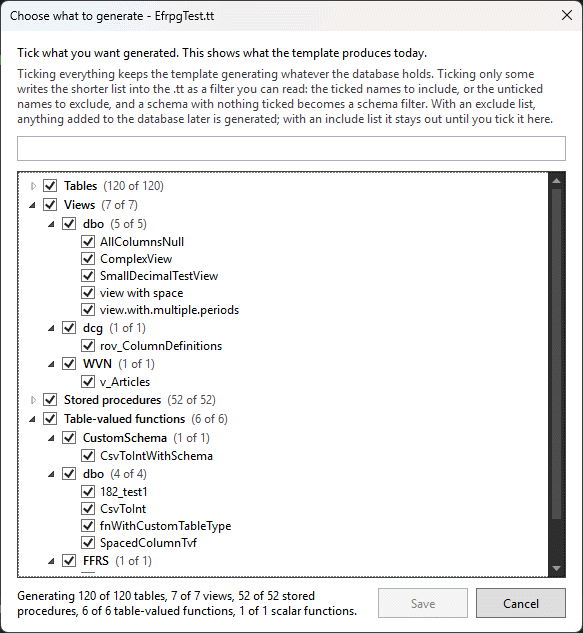
Tables, views, stored procedures and functions, grouped by schema, with a search box. Tick everything, or just the handful a microservice needs.
Anything you leave unticked becomes a readable filter in the template, so nothing is hidden from you.
3. Everything else lives under All settings (Optional)
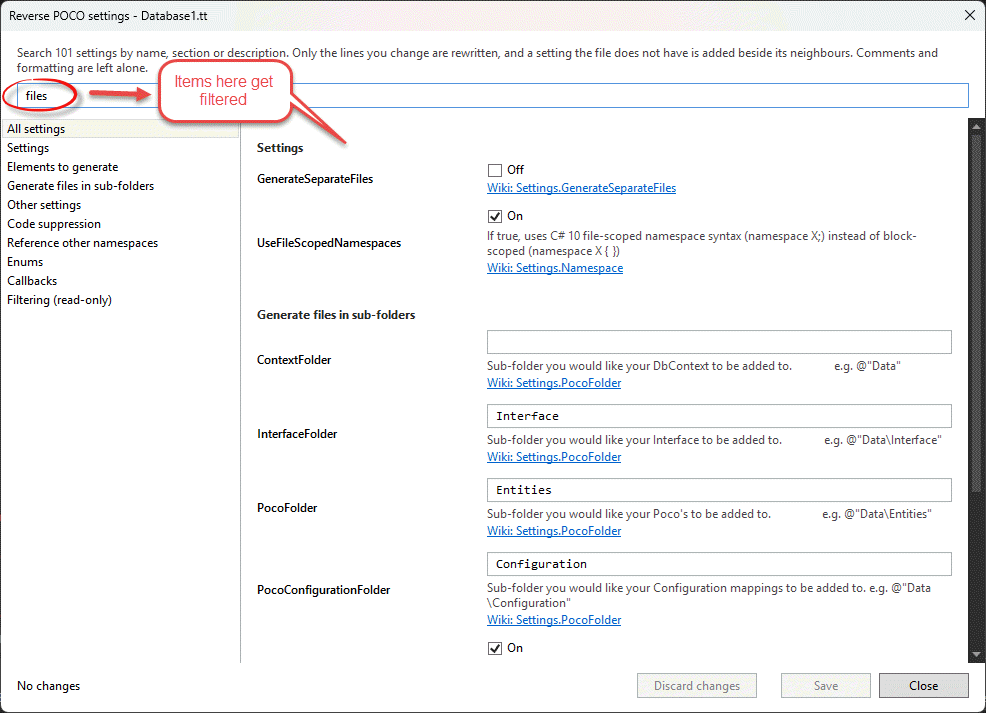
Around a hundred settings, searchable by name, section or description, each with a link to its wiki page. Naming conventions, output layout, base classes, interfaces, callbacks and more.
Only the lines you change are rewritten. Your comments and formatting in the template are left alone.
Enums straight from your lookup tables
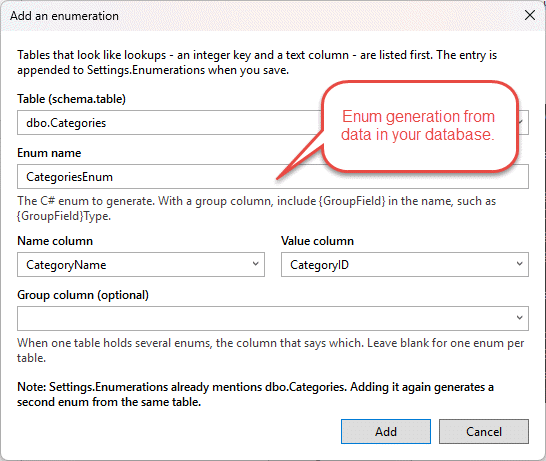
Tables that look like lookups, an integer key and a text column, are listed first. Pick the name and
value columns and the generator emits a C# enum from the rows, so Region.Northern
replaces a magic number.
Prefer the .tt file? Press Skip on any dialog and edit it by hand as before.
The dialogs read and write the same file, so you can mix and match.
Generated Code Example
See the quality of code the generator produces
Clean, Organised Code
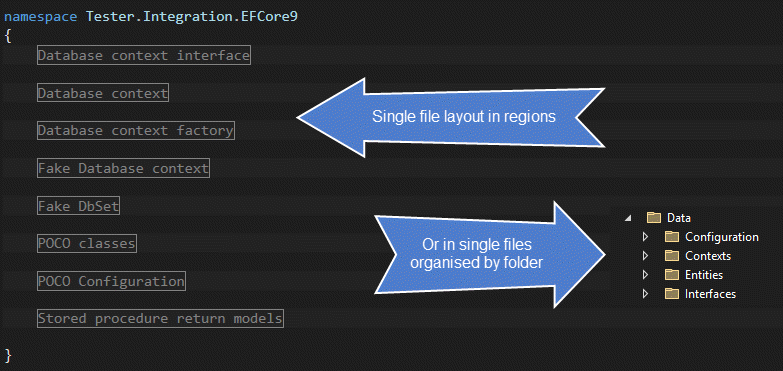
Well-structured code with clear naming conventions that follows Entity Framework best practice. One file, or a file per class in sub-folders: your choice.
Interface-Based Design
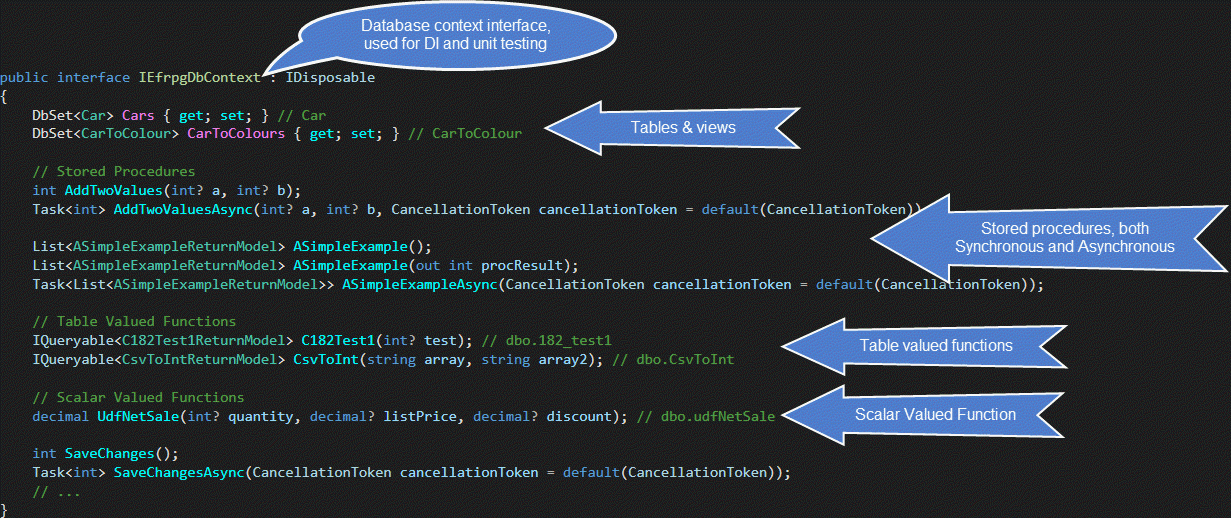
An interface for your DbContext for dependency injection and testing. Covers tables, views, stored procedures, table-valued functions and scalar-valued functions.
Fake Database Context
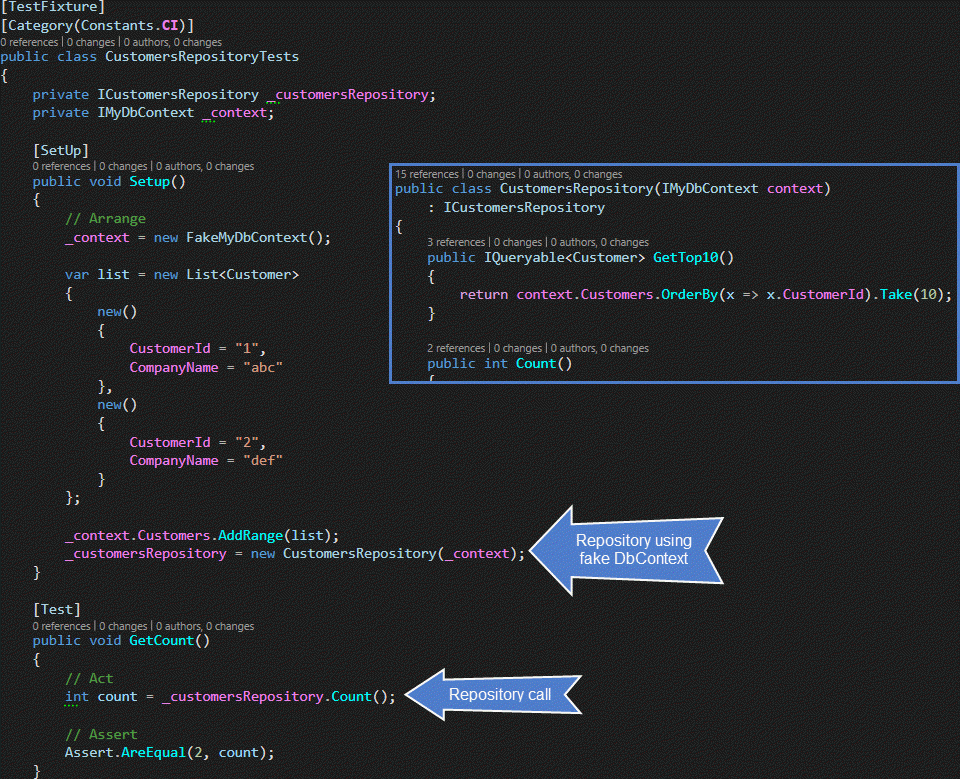
A FakeDbContext for unit testing.
It implements the same interface as your real DbContext, so tests swap it in without a database.
DbContext Factory Pattern
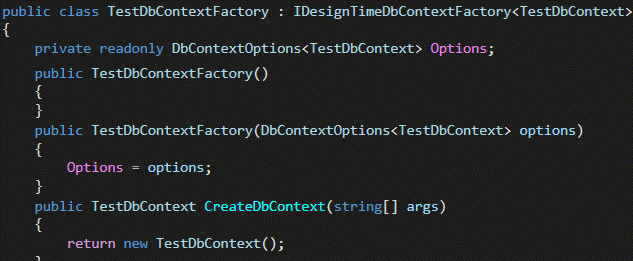
A DbContext factory class that creates context instances at design time.
Particularly useful for migrations.
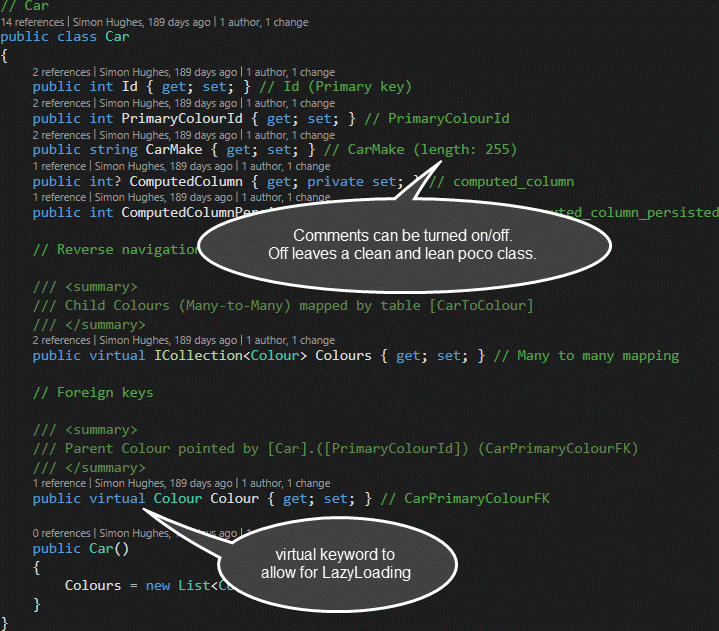
POCO Entity Classes
Entity classes that represent your database tables and views, with navigation properties wired up.
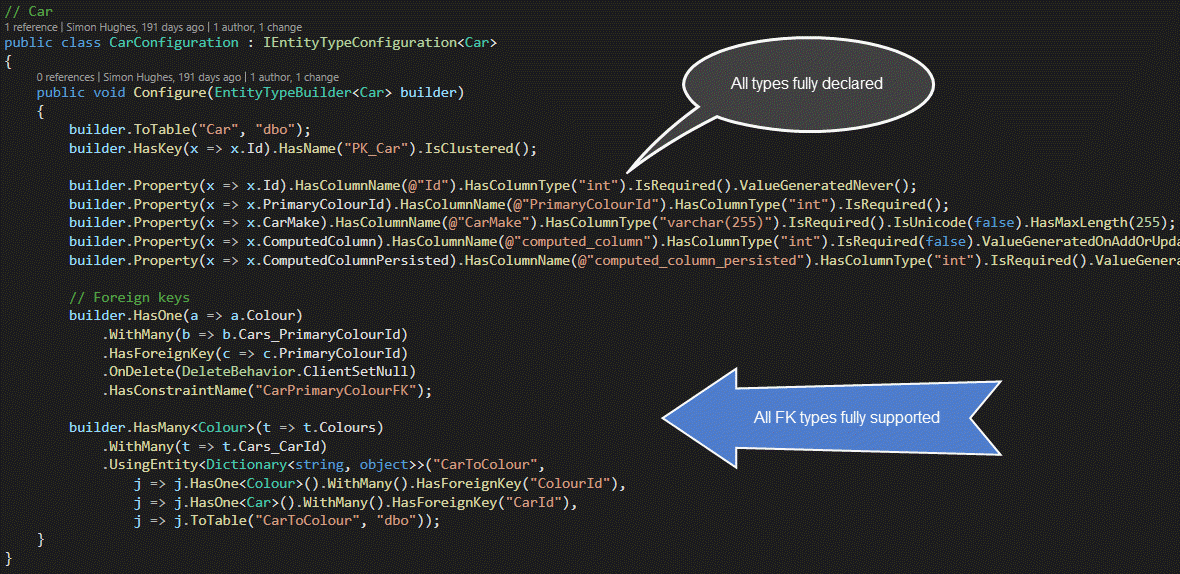
Configuration Classes
Entity Framework configuration classes that define how your entities map to the database.
Fine-grained control over table names, column mappings, relationships and constraints.
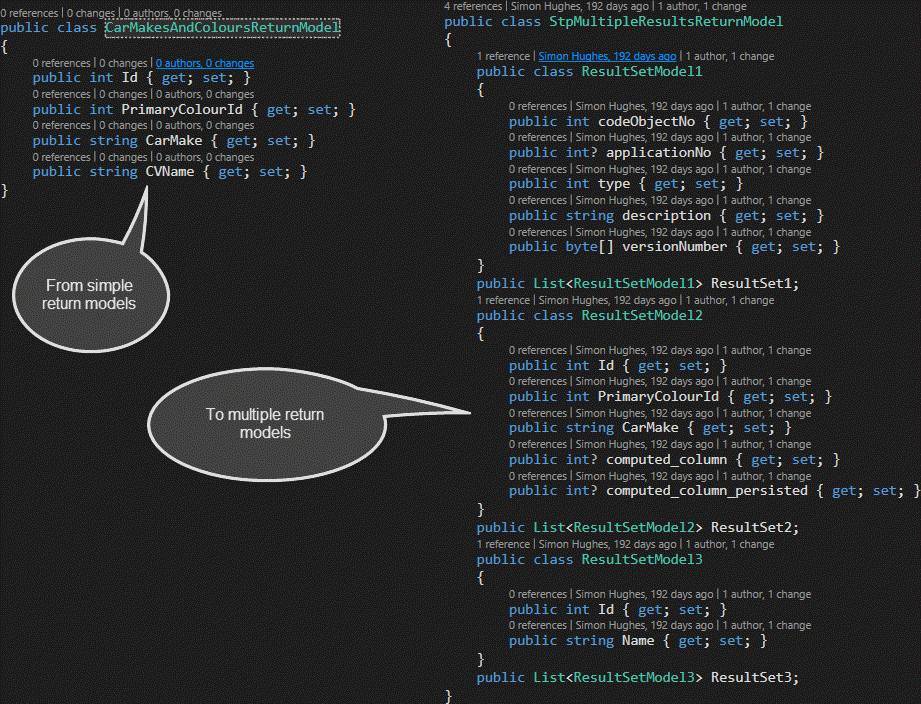
Stored Procedure Return Models
Strongly-typed return models for stored procedures and table-valued functions.
Proper C# classes that represent the result sets returned by your database procedures.
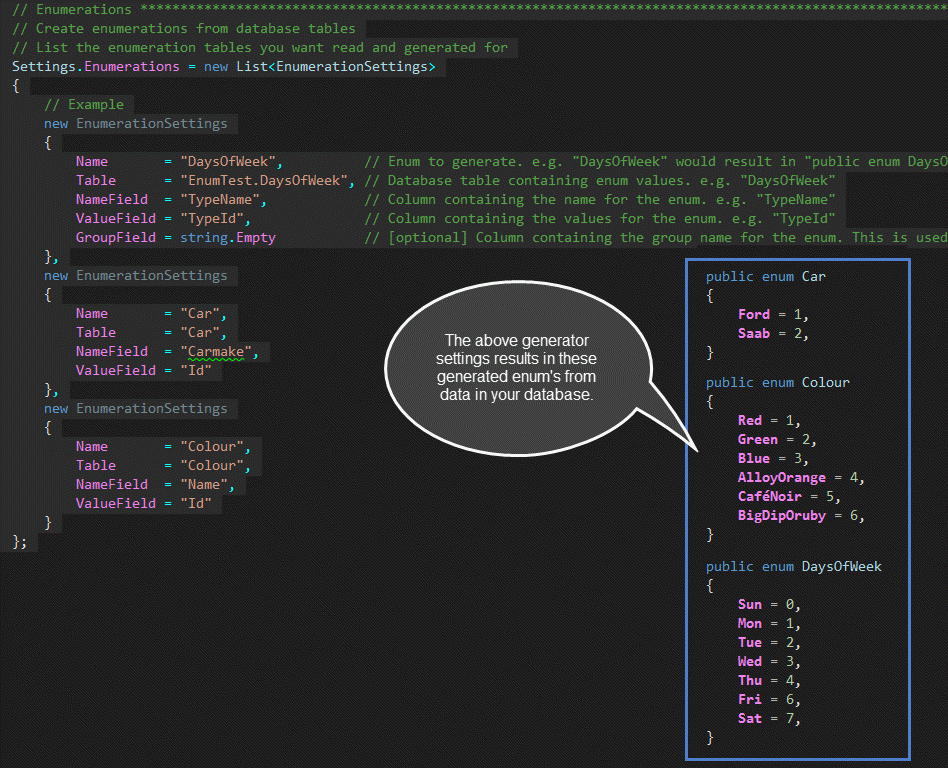
Generated Enumerations
C# enumerations generated from your database tables.
Pick the lookup tables in the settings dialog and the generator creates the enums for you.
Try It on Your Own Database
The trial generates up to 10 tables and 10 stored procedures and never expires. Academic use is free.